

OnLine
Applied Information Studies
for PowerDesigner -
Expanding the Model
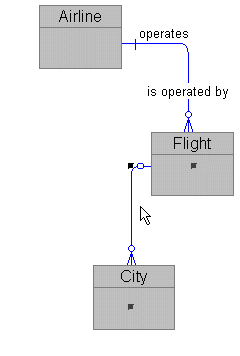
Since we added the City for our Flight, let's connect them.
Click on the relationship icon in the Tool Palette.
Click and hold the crosshair relationship cursor on Flight.
Drag the cursor over City and release the mouse button.
Right-mouse to clear the cursor.
Click on the new relationship line to select it.
Copyright
© 1996 Applied Information Science International