


 Now
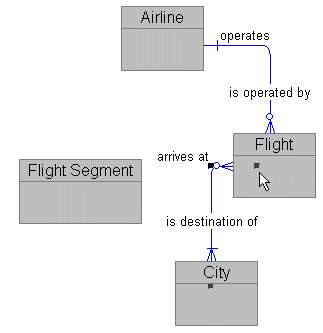
we want to reconnect Flight and City to include Flght Segment. And we don't
really want to throw away all the work we performed to define that relationship.
Now
we want to reconnect Flight and City to include Flght Segment. And we don't
really want to throw away all the work we performed to define that relationship.
Notice that the end points of the relationship appear as black spots on the entities to which it is connected.
It won't let you! You can move the relationship anywhere within the entity but not outside it.