


OnLine
Applied Information Studies
for PowerDesigner -
Creating Entities
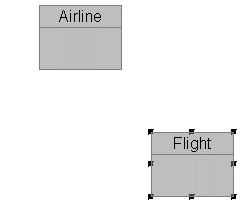
Now repeate processes you have just learned to create another new entity:
"Flight":
- Select the entity cursor by clicking
on the entity icon in the Tool
Palette.
- Drop a new entity into the model
by clicking the left mouse once wherever you want to place the entity.
- Single-click the right mouse to clear the entity cursor and
restore the pointer cursor.
- Double-click the new entity to open its Entity
Properties window.
- Change the new entity Name to "Flight".
- Close the Entity Properties window by clicking on its OK
button.
Very good - you've just created another entity, called
"Flight".
Copyright
© 1996 Applied Information Science International