


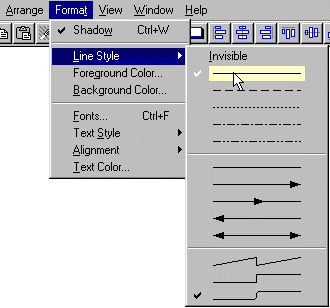
The top section sets the line drawing style for relationships, entity outlines, and free-form lines and shapes.
Notice that the solid line is preset as the default.
Think carefully about any special line style you choose. For example, you will drastically slow down a pen plotter by using dotted or dasked lines which require the plotter to stop and start.
If you adopt a certainline style to represent a condition or property, make sure that will be understood by other people reading your models.
And remember that PowerDesigner has no way to associate a logical
condition with a line style so you will have to maintain the styling manually.