OnLine
Applied Information Studies
for PowerDesigner -
Manipulating Relationships
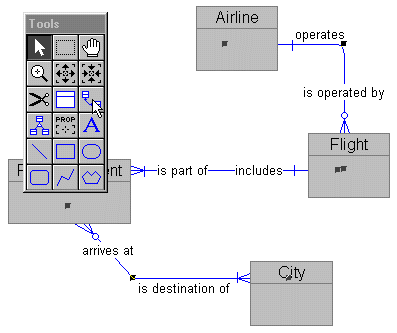
If your Tool Palette is hidden, press F2 to show it.
Double-click on the relationship icon in the Tool Palette.
This will select all relationships in the diagram.
Be dure to double-click. If you single-click or click too slowly,
you will select and unselect the relationship cursor. If that happens,
move off the Tool Palette and right mouse to clear the cursor. Then
start over.
Now you can repeat the Line Style sequence:
Select the Format drop-down from the main menu.
Select the Line Style sub-menu item.
Click on the third shape from the bottom - the lightning bolt - to
disable automatic elbows on the selected relationships.