

published 20 Oct 1995 : 01 Jan 1996 updated
Let's start building a meaningful model which we will use throughout this document to explore PowerDesigner. Our subject is airline flights, their routing, and crew. Most of us have enough first hand experience with this subject area to understand and contribute.
We want to rename our first entity - "Ent_1" - to "Airline". If you are thorough you can jump ahead to accessing objects but what we need now is very simple. Make sure your cursor is the default pointer (if not, click on the pointer icon in the top left corner of the tool box). Then double click anywhere on "Ent_1". This brings up the entity definition dialog box:
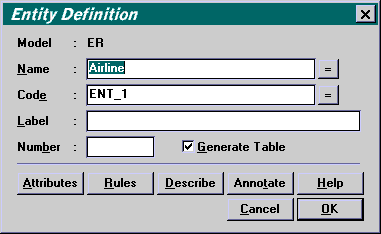
Notice that the value "Ent_1" in the Name field is highlighted, ready for you to overtype "Airline". That's all we need to do right now. Later on we will explore all the other properties and options on this dialog.
 Remember,
PowerDesigner does not insist on data entry until it is necessary to
transform the model to the next step. If you know more about the entity
now, don't hesitate to record it in the entity definition
dialog box. But on the other hand, don't feel you must complete everything
about the entity just because you have created it.
Remember,
PowerDesigner does not insist on data entry until it is necessary to
transform the model to the next step. If you know more about the entity
now, don't hesitate to record it in the entity definition
dialog box. But on the other hand, don't feel you must complete everything
about the entity just because you have created it.
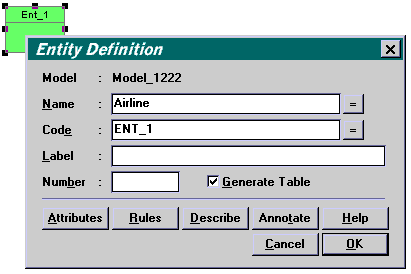
When you close the dialog box, the entity is immediately renamed "Airline".
Copyright © 1995 Applied Information Science International; 02 Jan 1996