

published 20 Oct 1995 : 01 Jan 1996 updated
To expand our model and reinforce the use of the tool box, let's add two more entities: "Flight" and "City".
Click the  icon
in the tool box to pick up the entity cursor, move the cursor over to the
diagram area, and click twice - in two different spots - creating
"Ent_2" and "Ent_3" (the numbers may differ and don't
matter).
icon
in the tool box to pick up the entity cursor, move the cursor over to the
diagram area, and click twice - in two different spots - creating
"Ent_2" and "Ent_3" (the numbers may differ and don't
matter).
Don't forget to right-click to restore the cursor to the normal pointer. Now double click " Ent_2" and rename it "Flight"; then rename "Ent_3" to "City".
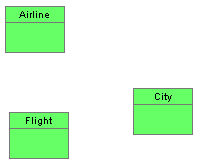
We have enough entities for the moment, enough so that we can explore creating relationships among them ...
Copyright © 1995 Applied Information Science International; 02 Jan 1996