PowerDesigner
04 Sep 1997
|
|
|
|
|
|
|
|
|
|
|
|
||
|
|
|
|
|||
PowerDesigner |
||||||
|
Interface | |||||
|
There was a time - say 1993
- when PowerDesigner's interface
was startlingly clean and intuitive. Our first impression
was that the product originated on the Mac - that is
still a high compliment today. With minimum tools and
menus to cloud the model, you are invited to grab the
mouse and get started. Most people go from shrink-wrap to
first data model in under twenty minutes. Since then both PowerDesigner (now PowerDesigner) and the software world have changed. Microsoft has decreed a number of GUI standards, many of which have no virtue other than being standard. Yet because they are standards, they are familiar and therefore need less learning than interfaces which differ.
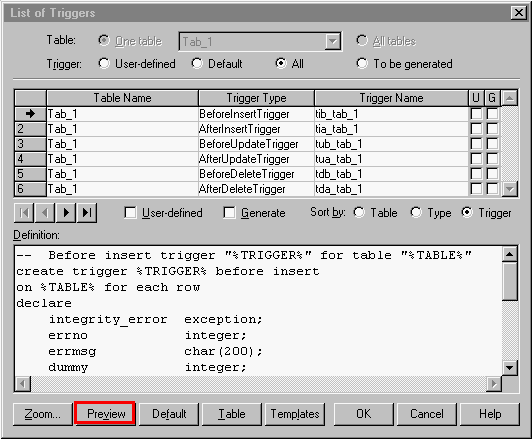
That's just one tiny example of new standards raising expectations. A much larger problem is that PowerDesigner windows and dialogs - once the most streamlined and intuitive in the market - have become encrusted over time with new options, tabs, buttons, lists, etc. seemingly without benefit of a general GUI design template or even internal consistency checking.
The answers are all the same: features were added without benefit of an overall design, a product architecture. While the competition is mostly worse (see Silverrun for a notably more consistent interface), that does not make PowerDesigner easier to use. And in some notable ways, PowerDesigner lags. ER/Studio, ERwin, and Silverrun all support some degree of drag and drop of attributes while PowerDesigner offers none. It is still true that most new users will go from install to DDL in a day. And it is also true that all four of the PowerDesigner modeling modules look the same on the surface, minimizing cross-module training. But after that it gets harder every week to find, figure out, and make use of the more advanced features added in the last three years. "Sort of like a great first date but a difficult marriage" is how it has been reported to me. The bar is rising in user presentation. Take a look at ER/Studio. Sybase had better look and then give some serious thought to a fresh visual design for V7 of PowerDesigner. |
|||||
|
PowerDesigner Review | |||||
|
PowerDesigner Users' Resources for many links and documents | |||||
|
||||||
 For example,
today we expect not only context sensitive help at the
window level (which PowerDesigner
has) but also the "What's This" field-level
help (which PowerDesigner doesn't have). The fact that
competitors don't have it makes them worse but
does not make PowerDesigner
better - that's how human expectations work.
For example,
today we expect not only context sensitive help at the
window level (which PowerDesigner
has) but also the "What's This" field-level
help (which PowerDesigner doesn't have). The fact that
competitors don't have it makes them worse but
does not make PowerDesigner
better - that's how human expectations work.